
Season 02 | Episode 03: Clyde Valentine on Accessibility and Quality Assurance
In this episode: David and Sandi discuss the importance of combining quality testing with accessibility to improve digital experiences for all users with our guest, Clyde Valentine.
Transcript
David: Hello and welcome to Practical Accessibility Insights. I am David Best, and with me is my co-host Sandi Gauder. Hi Sandi.
Sandi: Hi David. How are you doing today?
David: I’m great. I’m really interested in this episode that you’ve got scheduled here for us, because we talk a lot about accessibility and we talk a lot about the legal aspects and all the should dos and shouldn’t dos, and, I think one of the things we tend to overlook is the actual integration of quality testing for digital communications in itself.
So in this episode, you have someone who’s gonna help us understand the importance of quality testing when it comes to digital communications, because digital communications today is so important for all businesses.
So Sandi, why don’t you go ahead and introduce our guest for today.
Sandi: I would like to do that. Thanks so much, David. So today I’m happy to have Clyde Valentine joining us on the podcast. Clyde is with a company called Quality Logic, and although this year or this season, we’re looking at the entrepreneurial space, Clyde’s, not necessarily an entrepreneur, but he is somebody who probably acts like an entrepreneur every single day in his work. So that seemed like the good fit for us, along with the, the quality aspect of accessibility. So I’d like to introduce Clyde and uh, welcome to the show.
Clyde: Hey, thank you very much Sandi and David for having me here.
It’s a pleasure to speak with you both.
Sandi: Thank you for joining us. So before we get started with the interrogation, can you tell us a little bit about yourself, where you work, what you do, how you even got into the field of accessibility in the first place?
Clyde: My role at Quality Logic is Head of Growth, which is a fancy catchall title for saying that I manage a lot of our client relationships.
I’ve also got my hand in our R and D side of the business, and then do a fair amount of digital accessibility consulting as well. Working with organizations and helping them really stand up effective accessibility programs, figure out how to manage risk, things of that nature. Quality Logic for a little bit of context is a third party software quality assurance and digital accessibility services firm.
We have been in business for 40 years now at this point, and most of the accessibility work that we do is really in the realm of auditing, training, strategic consulting, code remediation, that kind of thing for clients. As far as how I personally got into digital accessibility, I started at Quality Logic seven years ago now at this point, and our Director of Engineering, he founded our accessibility practice.
He is blind. It was kind of the impetus for him to get in and start that practice because frankly, it’s the right thing to do. We know the technology can sustain more accessible experiences, and so we really got into accessibility as a passion project. And along the way in kind of my journey in Quality Logic and collaborating with, you know, our Director of Engineering, Paul Morris, you know, he exposed me to the world of accessibility, how individuals interact with technology using screen readers or other forms of assistive technology.
But I think the, the thing that really drew me in is, is probably twofold. I think one, I’ve always been highly motivated to learn everything I can about the world and then in turn use that knowledge to help better the lives of other people.
And so accessibility is kind of a natural fit with that inherent drive that I’ve got. So that journey probably started about five or six years ago or so for me, and I’ve been loving it ever since.
Sandi: Your company is based in the US. Now, are your clients predominantly also in the US or do you service clients around the world?
Clyde: Oh yeah, we service clients all over the world. We work with certainly a lot of companies in the US. It makes sense given that we’re based here, but we work with a lot of Canadian clients, European clients. South American clients, even clients in the Asia Pacific region. I think the only continent we’ve not touched is Africa, but other than that, we’ve worked with clients all over.
Sandi: So I’m curious to know from your perspective, do you see a difference in how organizations approach digital accessibility from one geographic area to another, or one country to another?
Clyde: It’s a good question. So, you know, obviously between different geographies and regions, and we’ll tie it back to legislation, legislation does differ, and so the sorts of considerations that go into how an organization complies with that country or region specific laws, it has its own flavor to it.
But, underneath all of that, most of the legislation roots itself, back in the Web Content Accessibility Guidelines in one form or another. The version may be different and you know, some of the interpretations might be a little bit different, but ultimately it kind of harmonizes back to that, so either explicitly or implicitly.
So there is a global foundation to the way that organizations think about and approach compliance with laws and what those laws, you know, sort of dictate. And then when you think about how an organization actually effectively addresses accessibility, best practices are best practices. So the idea of including accessibility throughout your software development lifecycle, ensuring that you’ve got appropriate policy in place, that your team is adequately trained and has the time and the resources to work on accessibility.
All of these things are common staples of a good accessibility practice regardless of what region or laws you’re necessarily subjected to. And I think the only other kind of comment I’ll give on that is where organizations place the priority with accessibility does vary a little bit by geography. The United States historically has been a very litigious country, and so there’s a lot more concern here about the possibility of getting sued, whether that be, well, that’s primarily driven from like private citizens or law firms or what have you.
Other countries are less litigious. Canada, for instance, does not see the same level of lawsuits that the US sees. The things that organizations are worried about from an accessibility point of view vary just a little bit based on the culture and what the norms are in that region. But again, I still think fundamentally, whenever you look at legislation, it ultimately roots back to WCAG for the most part in one form or another.
And then best practices are best practices.
David: I’m interested to learn a little bit more about the focus of your quality testing. Do you focus on primarily website applications or do you also do quality testing for other types of platforms?
Clyde: Oh sure. So we test all sorts of things. We test websites, web applications, mobile applications.
We have tested systems responsible for managing robotic fleets. We’ve tested Bluetooth exercise machines and held hand, uh, handheld x-ray scanners used in border security. And like, so we test the things that people commonly associate with accessibility and, you know, quality assurance. And then we test the really weird things as well.
We’re certainly pretty diverse in the things that we test. We’re fairly industry agnostic as well. I mean, we’ve pretty much, you know, over the 40 years that we’ve been in business, touched just about every industry at this point. So whether that is healthcare applications or financial systems or payment systems or e-commerce websites or you know, really all over the place. It’s pretty, it’s pretty diverse.
David: So do you get into emerging technologies?
Clyde: We do. We’ve done a lot of work in OT devices, in generative AI applications, you know, which is obviously a very hot topic, you know, right now. So I’ve done a lot of work there. Augmented and virtual reality robotics. We’ve bounced around in a lot of different emerging technologies outside of the core, you know, kind of application set that people are used to working with.
David: Does your testing process include automated testing as well as end user testing?
Clyde: It absolutely does. So the methodology with which we approach accessibility, auditing, and testing, we approach it from both an automated and a manual perspective. From an automation perspective, I mean, automation is great for capturing issues at scale and identifying things that are easy to capture programmatically, like, Hey, there’s missing alt text on this image.
Or, you know, this kind of fails contrast guidelines. But much of the WCAG success criteria is inherently and overall usability as well is subjective in nature. So, one of the examples I always give is, you know, you’ve got the requirement that an image, you know, have alt text applied to it, but then also that if it’s not communicating substance or meaning to a user, that it be marked as decorative so that screen readers skip over it.
And so what automated tool can tell you, Hey, this is actually meaningful or not. That takes human judgment to determine. Much of the work that we do after kind of an initial automated scan is manual in nature. That is individuals going through and reviewing the user interfaces and the workflows, leveraging screen readers and assistive technology that end users would ordinarily interact with properties through.
As you might imagine, this is kind of a natural landing place for us, given the fact that our practice was founded by somebody who’s gone blind and leverages assistive technology as part of their daily lives. Including native assistive technology users is part and parcel to the way that we deliver work.
We always include real user experience whenever we are assessing company products or platforms or what have you. And then in addition to that, we also like to blend and pair different experiences together. And so what I mean by that is we may pair a sighted tester and a non-sighted tester on the same user interface.
And so the sighted tester may accurately relay how the UI is behaving whenever the defect is encountered and the non-sighted tester would be able to say, Hey, this is the direct experience when interacting with this through a screen reader. And by pairing those experiences together, we’re often able to deliver significantly more detailed and comprehensive coverage than you might get from either A, just running a scanning tool or B just having a, you know. Manual auditing is good, but if you lack that real user experience, there are subjective pieces of that you can miss.
I think the other piece of it as well is there is a difference between experiences that are compliant with the letter of the law and the WCAG guidelines and usable. You can have a website or an application that is technically compliant, but still challenging or confusing for assistive technology users.
And so one of the things that we really look for is both compliance and then also overall usability.
David: Productivity is a big issue for a lot of small companies, and I can imagine that testing is really time intensive, especially when you’re wanting to get quality for the end user experience. How, how do you manage to do the quality testing and what kind of challenges do you run into with organizations that are looking for that kind of testing?
Clyde: So I think the first thing is there’s kind of a common idea in quality assurance, which is at the root of shifting testing left, which is that if you wait until the very end of whatever your development cycle looks like, whether that’s you’re producing a new website or a new software application or what have you, if you wait until the very end to do the testing and you find the issues then it is very time consuming and very costly to then go through and fix them.
And the practical example of this that I’ll give is, imagine you’ve got a website with 20 or 30 different templates that you are using, and you, you go ahead and you build out all of this functionality across all of these templates, and then you’ve got two or 300 pages that use those templates.
And so you’ve gone through and you’ve developed all of this. Then you do testing and you identify that there is some set of functionality that you have put all across your website that is inherently inaccessible, and the only way to fix it is to rip out and replace the technology that is powering whatever that functionality is.
That is really painful to discover at that point in time. The alternative is when you go to put that technology in place at the very beginning, before it’s in the 30 templates, before it’s in the 200 pages. You do the test then and if you identify, hey, we have an issue, we need to be looking at something else, then you can fix it then when it’s a really small issue and you haven’t put it into everything on your website.
And so you know, part of being successful with accessibility, whether you’re a large organization or a small organization, is proactively testing and identifying those issues before they get carried across all of the things that you build.
That’s the nature of shifting testing left. Accessibility left is identifying those issues early. Really identifying those issues early, saves you a whole lot of time and cost in the long run. So that that is absolutely one of the ways that small businesses can effectively avoid having a lot of issues that then are time consuming to kind of take care of, or I’ll kind of, you know, subsequently in a moment here, address, okay, well we’ve already built our website, what do we do in that situation?
Because that’s, you know, that’s the reality for a lot of organizations. But continuing down this track, another key piece of managing accessibility on a budget is frankly equipping your team with accessibility knowledge, best practices, how they can bring accessibility into their work. There are things that testers and developers and product managers and business owners can all do to positively influence accessibility.
And so when everybody operates with accessibility in mind and has those skills and that knowledge. And there are great resources online from organizations like WebAIM and W3C. Now, there are a lot of good resources for, you know, for instance, if I’m a developer, what are some simple desk checks I can do for accessibility?
What are some automated tools I can run? They don’t do everything, but they do catch some things and some things are better than no things. So if everybody takes that approach and operates with accessibility in mind and applies that to their role, what you find on the other side of that is quite obvious.
You find fewer accessibility issues and fewer grievous issues, I would say. So when you’re not introducing issues, frankly, there’s less defined, there’s less to fix. That’s better for everyone. That keeps budgets and effort and all of that on the smaller end. You can also address some of that with being diligent about having good processes in place so you can effectively say, it is our policy to go through and test this in this way before we go ahead and we build everything else.
And so you can set up institutional practices and policies and processes to ensure that accessibility is an embedded way for how you work and also affording your team the time and the resources to do so. If you set that up organizationally speaking, again, you’re kind of saving yourself from a lot of that trouble down the road.
The last piece of that that I would mention is also kind of an important thing I don’t want to get lost, is a lot of organizations and a lot of you, you know, individuals hear accessibility and, and they get overwhelmed and they, they shut down and they feel like goodness, I, I don’t even know where to where to begin with this.
I’ve had a lot of those conversations, and I am a big believer in the idea of progress over perfection. And you don’t need to try to get everything right on your first try. But every little thing that you do to move things in the direction of a more accessible experience is beneficial.
And for anyone that’s just kind of starting accessibility work for the first time, I think a great place to start, frankly, is pop up the WAVE accessibility tool, scan your website, identify some automated issues. Go start fixing them. It will start to give you a feel for what accessibility issues look like, some of the things that you can be thinking about. And then maybe, you know, add on to that by looking at some of W3C’s, you know, accessibility resources, and just start the journey there.
Start slowly accumulating knowledge and trying things out, and you would be surprised how much more effective you can be and how quickly you learn just by starting the first few steps of identifying issues and fixing them. I think those are the big pieces when it comes to kind of resource and you know, budgetary management for accessibility.
And then coming back to that thing I mentioned lastly about, you know, okay, well we’ve already got the website developed or the product developed. I mean, you know, in any of those situations, which is most companies these days, because, you know, accessibility has come onto the radar for a lot of companies in the last number of years, and they’ve been around far longer than that.
I mean, it goes back to those same principles. It’s taking a look at what you’ve already got going on and starting that process of identifying issues and making fixes. And it’s not gonna be an overnight thing, but you can get started and you can keep moving things in a better and better direction. And then simultaneously pair that with correcting the initial processes that you, you know, the, the processes and the skills and all of that, that got you there in the first place.
You know, to put it a little bit crudely, it’s called Stop the Bleeding. Stop introducing new accessibility issues. So as a project, start working and making improvements on the old stuff that you already have, and then correct the underlying processes and capabilities and time and all of that that got you there in the first place.
You know, stop introducing new, new issues.
Sandi: Listening to you answer that question, there’s nothing that I would disagree with. It struck me that we talk a lot in this field about shifting left and bringing accessibility into at the very beginning of the process. But I think we need to shift even further left. Shifting left to get people to even think that accessibility is a thing they even need to think about at the very beginning.
And so how do you get organizations who come to you maybe for something that is not accessibility specific. If they come to you for some sort of quality assurance support in a non-accessible deliverable, do you talk to them about this idea of accessibility in or only with the people that come to you looking for accessibility services?
Clyde: Accessibility is a part of our culture and something we believe in very adamantly. So it’s always a part of the conversation and a part of the education that we do. And we’ve had a lot of success getting organizations that come to us for projects that are not accessibility specific to actually incorporate accessibility practices into the way that they’re operating.
And part of that gets into the kind of colloquially called business case for accessibility, which is there may be pockets within organizations where they really care about doing the right thing and, they’re thinking about accessibility through that very kind of ethical lens. But there are a lot of people worried about how do I maintain profitability and how do I release this website with these products on time?
And they’re, they’re kind of inundated with all of these other concerns where accessibility feels like one more thing on the pile. And so the thing that we have been effective at doing is showing that accessibility doesn’t just benefit that particular side of assistive technology users, but it is mutually beneficial for all other facets of the business.
And, and so kind of the obvious tie in there is more usable experiences which benefit assistive technology users are also, frankly, more intuitive for users that don’t leverage assistive technology. Which means the amount of time that people are going to on your pages and the likelihood that they complete whatever the target action is, that is likely to increase. Well structured content, which is good for screen readers is also great for search engines and finding you so that improves your, you know, your search engine rankings.
So that’s definitely very beneficial. In the quality assurance world, there’s a lot of focus on test automation and how do you implement code that will effectively programmatically assess your website or your application for whether it meets or does not meet certain functional requirements.
But the same page elements or unique identifiers that automation ties into and relies on to be effective are actually the very same elements that assistive technology ties into. And so if you set up your product in a way that is very effective for screen reader users to navigate, it also means that your test automation is going to be much more effective and sustainable as well.
There are like so many pieces of this where accessibility best practices mutually reinforce and benefit all of these other things that you already care about as an organization and want to do. And so we’ve had a lot of success having those conversations and tying accessibility in to these other areas that we’re already working on and that they’re already working on.
Sandi: With the emerging technology that people are coming to you for help with, do you find that new technology is more or less inherently accessible than some of the older technology that we have been living with for years?
Clyde: Yeah, that’s a, that’s an interesting question and it’s a really hard one to answer.
You know, on the one hand you might assume that a, because something is new and accessibility is more topical, it’s, it’s more likely to be accessible. But there’s still unfortunately a lot of inaccessible practices and a lack of awareness. And even though that’s growing a lot in the industry, you’ve still got major parts of companies that are doing things in a way that isn’t accessible.
And for instance, the WebAIM Million where they go out and they, you know, every year they scan all of kind of the top websites and they report how many accessibility issues are found there. And it is, most websites are inaccessible and despite kind of the growing awareness, it’s like that is still kind of a prevalent issue.
So there’s a lot of good documentation out there for how to make a website accessible. There’s not a lot of good documentation out there for how to make something like an IOT device or an AR application or what have you, accessible. It’s, it’s getting better. There are groups that focus on the intersection between, you know, accessibility and, you know, virtual or augmented reality.
Even the, like the Meta Ray Ban glasses and some of the ways that that enables accessibility. There are definitely innovations there that I think are exciting and supportive of accessibility, but I still think that as a market and an industry and a community, there’s a lot of work to do to still build awareness and implement best practices with the work that everybody is doing, whether you are on the website application end of the spectrum or the emerging technology end of the spectrum.
David: Since your role is regarding growth, what role do you think accessibility marketing has in the growth of a business? I talk to a lot of small businesses and I come across a lot of them that have accessibility processes and you would never know it because they never talk about it. You never see it on their website. Do you think that talking about the accessibility processes or the accessibility solutions they have within their business, is that a negative or a positive marketing strategy for growth?
Clyde: In my view, it’s definitely a positive. There are bunch of different reasons for it, but, but I’ll just like, I’ll go to the lowest common denominator reason, which is accessibility is a legal requirement and any organization that purchases your product or your solution is potentially at legal risk if they incorporate that with what they’re delivering to end users and the organizations that they serve.
And you see this a lot in government and higher education and larger corporations and so on, where there is a lot of process, whether that be contract language or procurement teams or what have you designed to suss out inaccessible solutions.
And so for an organization wanting to be profitable and grow in market, talking about the fact that you are accessible and the practices behind it is only an advantage because you’re making it that much easier for organizations making decisions about which products to buy to identify that, hey, this is on the table because it meets one of these critical requirements that we have.
A lot of the work that we do is we embed with procurement teams. We are an extension of their team and we help them literally make decisions about what products or vendors to onboard or not based on their accessibility. And further than that, there are a lot of organizations we with where now they’re like, Hey, you know, we’ve, we’ve gotta become accessible and, you know, we wanna make sure that we’re meeting the letter of the law.
And then also making sure that things are usable, you know, and all of that. And a, and a, and a big part of that conversation is, hey, we can go ahead and we can audit the code and the functionality that you control. But then you’ve got all of the third party vendor functionality that you’re using. And so part of what we end up doing is we end up working with them and their vendors to try to get their accessibility conformance reports and spot check their workflows and say, Hey, are they actually accessible?
And then if they’re not accessible, does that vendor have reasonable plans to be accessible and in what span of time or do they not? And if they don’t, then we advise that they replace them and then then they go to market looking for other solutions that are accessible.
To tie it all back to the question, is it advantageous to market your accessibility practice? I, I think it absolutely is just on the basis of that dynamic that exists out there. So it’s not only an advantage from a marketing perspective, I think it can really effectively be a differentiator as well.
David: That is so critical. I, I’m really pleased to hear you talk about that because I find when I get engaged with some small businesses that these third party applications they have on their website destroy everything, and all their efforts in trying to make the website accessible, and they come to me and they say there’s nothing they can do about it because it’s a third party application.
What do you tell your customers?
Clyde: Well, I tell them a few things. I mean, ultimately they are accountable for the choices that they make to bring those experiences to their customers. And so whether they like it or not, you know, the decision to have an inaccessible plugin or widget or what have you on the website is still an experience that you’re delivering to your users.
And you can still get roped up in legal action on the basis of that and. And kind of hand waving and saying, well, that’s not within our control doesn’t really do much when you’ve decided to put that on the website in the first place. That’s where the rub is. If you’re getting into kind of legal compliance language.
In terms of what they can do, I mean, it’s kind of twofold. One of them is looking for alternatives that are accessible. Like you’ve got the, you’ve got the power to go shop around for, hey, those companies talking about how accessibility is a part of their processes and actually making a, you know, notable effort there. So you’ve definitely got that within your control.
A really interesting byproduct of the way that we support and engage with organizations is a lot of the time when they’ve engaged us to provide accessibility services, we get introduced to the vendor and then we work with that vendor to help them get accessible. So a, they can sustain that relationship and continue kind of in the, you know, in the, the good graces of the company that really wants to use them.
Because a lot of the time they’ve got some really interesting and valuable functionality, but there’s this inaccessibility shadow that’s looming over them. So if we can remove that, make it accessible and help that application shine. Like the customers ultimately still want to use that. So that enables that relationship to take place.
And then also it gives them a new way to go to market and solicit other customers and frankly, look at competing solutions. Go to their customers and say, I know you’re using this. They’re not accessible. We’re accessible. Let us, you know, come in and help you with this. So I think it’s provided a wonderful vehicle for the customers we work with to maintain that functionality and be happy with it, the vendors they work with to get accessible and frankly users to benefit at the end of all of that.
Sandi: Yeah, I think procurement is an incredibly powerful tool for shifting things left. I mean, we’re starting to see a little bit of it here in this province in Ontario with municipalities who have to procure. They’re really now understanding that it’s not an option anymore. They don’t have a choice about it.
And so having to find vendors that can actually provide accessible documents, accessible whatever it is they’re looking for, and there’s enough of them that they’ve got some buying power, right?
As a group of municipalities or a group of governments, they can push back ’cause they tend to use the same products. They can push back as a, as a bigger voice to say, Hey, this, you gotta stop doing this. We need this fixed. We’ve gotta serve our clients. You’ve gotta serve us. So let’s start coming to the table with some better solutions that work for everybody.
So hopefully, knock wood, that that does start to change the conversation a little bit more than it has been.
Clyde: I have seen a lot of that conversation change in the organizations that we work with. Procurement is absolutely a wonderful tool for driving that change. Frankly, every department, every function in a business is a tool to promote accessibility.
David: Thank you so much, Clyde, for joining us and talking about your experiences with accessibility and the importance of quality testing. That’s very exciting to hear that the integration is actually happening. That quality testing and accessibility has to be part of that whole process. So do you have any resources or contacts you would like to share with our listeners?
Clyde: First of all, thank you very much for inviting me to have this conversation with you both. I mean, it’s, it’s definitely been a pleasure. And in terms of resources. We do have resources available on the QualityLogic.com website. We’ve got a digital accessibility starter kit, which is kind of a crash course on what accessibility is, why it matters, what the different laws are, how to get started with accessibility.
We’ve got a monthly newsletter that we’re putting out. It’s entirely free. You can sign up on our website, but we do give a lot of free advice as well. So, I mean, anyone is welcome to reach out to me on LinkedIn or come and just kind of submit a form on our website and say, Hey, you know, I, I have this question about accessibility.
Here’s what we’ve got going on. Like, what would you recommend?
Sandi: What’s your last piece of advice for small business owners, entrepreneurs who are very new to the accessibility space. What would that final piece of advice be? What is the first step you think they might need to take?
Clyde: At the risk of maybe sounding like most accessibility practitioners out there.
Don’t be intimidated and just get started with something. It can be anything. It can be running an automated tool. It can be reading a how to self-check your work on W3C.com. It, it can really be anything but the, the big, the biggest piece of advice is just don’t be afraid to get started and, and get started with something.
I think that’s really it.
Sandi: Yeah. That is valuable advice, actually, is just take the first step. Yeah. Progress over perfection. Well, it’s been wonderful chatting with you today, Clyde. Thank you so much for taking the time to join us and have a great day.
Clyde: You both as well. Thank you.
David: The views, thoughts and opinions expressed on this podcast.
Are the speakers own and do not necessarily represent those of the podcast team and partners. This podcast is for information and learning purposes only. The Practical Accessibility Insights podcast is hosted by CMS Web Solutions. The intent of this podcast is to raise awareness for practical advice and strategies for making digital and physical environments more accessible to everyone.
Thank you for joining us in this time of discovery and sharing for a more inclusive society. If you have questions or comments, you can email us at info, I N F O, at david dot best or Sandi, S A N D I, at CMS Web Solutions dot com. For more information and resources, go to www.CMSWebSolutions.com or www.BestAccessibility.consulting.
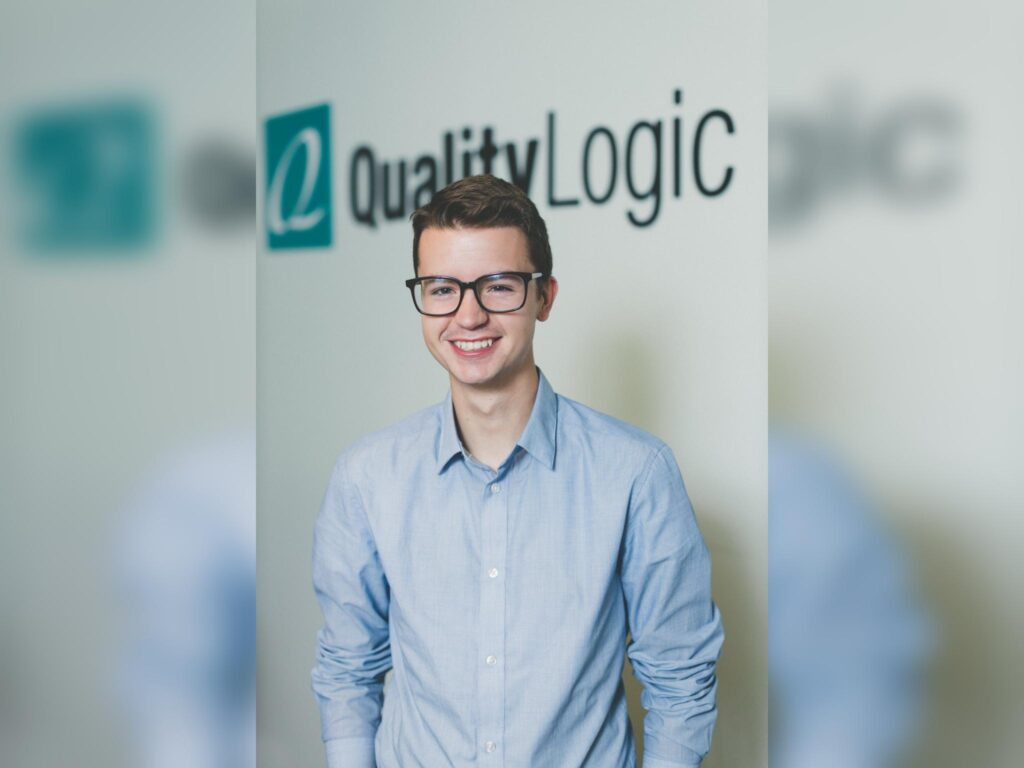
Guest Speaker
Clyde Valentine
Clyde Valentine is Head of Growth at QualityLogic, a software testing and digital accessibility company in the U.S. A lifelong self-educator from a small Canadian mining town, he moved from portrait photography and political science into software quality assurance and accessibility, and has spent nearly a decade helping organizations shape strategy, guide R&D, and build partnerships that lead to more inclusive digital products.
Now in Idaho, Clyde balances a deliberately quiet life of hiking desert foothills with a deep commitment to helping teams create better, more usable experiences for the people they serve