
Season 02 | Episode 01: Matisse Hamel-Nelis on Building Inclusive Communications
In this episode: David and Sandi kick off Season Two by exploring the realm of entrepreneurship with a focus on accessibility. They are joined by Matisse Hamel-Nelis, a communications consultant who shares her journey into digital accessibility.
Transcript
David: Hello, I’m David Best, and this is the Practical Accessibility Insights Podcast. And with me is my co-host Sandi Gauder. Hi Sandi. What’s new and exciting with you?
Sandi: Oh, the sun is shining. It’s another warm day, so I suppose that’s exciting.
David: Yeah, so. This is our first episode of Season Two, and in this season we’re exploring the whole area of entrepreneurship, what it means and how people get into it.
And particularly we’re interested of course, in the accessibility aspects of what makes an entrepreneur viable in this very competitive environment. So we have someone with us who’s going to start us off in this whole series of entrepreneurship. Sandi, why don’t you go ahead and introduce our guest.
Sandi: Thanks, David. I would love to. So joining us today is Matisse Hamel-Nelis. I’ve known Matisse for quite some time now. I don’t even know how long, perhaps Matisse, you can tell me. But welcome to the show, Matisse. Glad to have you on board.
Matisse: Thank you so much for having me, and we’ve known each other since 2019 when you were my faculty member.
Sandi: So we know you were a student of mine, but what else are you? Why don’t you introduce yourself and tell our listeners what kind of work you do and a little bit about yourself.
Matisse: For sure. So I’m Matisse. I run a consulting agency called Matisse Nelis Consulting based in just outside of Toronto, Ontario, where I focus on communications and public relations consulting with digital accessibility in mind. So helping businesses both small and large, incorporate digital accessibility best practices into their communications and PR initiatives.
Whether they’re internal or external facing, we need to think about accessibility in how we communicate across the board. And on top of that, I’m also a soon to be published author, which is very weird to say at this stage where I wrote a book with my co-author, Lisa Reamers, called Accessible Communications Create Impact, Avoid Missteps, and Build Trust.
Sandi: Words matter. I say that all the time. I’m sure my husband gets tired of me saying that. So it’s lovely to hear someone who’s actually in the business of communications and teaching people how to communicate effectively about accessibility. But I’d like to know how you even got into this field in the first place.
What was the spark for you that got you thinking about accessibility and making it a part of your business?
Matisse: So when I first broke into the industry after graduating from public relations, my second job just before I officially convocated, was at the Canadian National Institute for the Blind, or CNIB Foundation, where I was a corporate communication specialist.
It was my second day on the job and I was asked to put out a tweet from the national account and I thought, easy peasy. I’ve learned this in school. I do it every day. I put out some sort of fact with the hashtag DYK for, did you know? This was back when, at that time called Twitter, the character limit was 140 characters, so I had a very limited amount of space to create what I needed to create.
So I put it out there feeling all, you know, fine and dandy, like I accomplished something that morning. And within 10 minutes, one of my colleagues with sight loss, Jason gave me a call. Very sweet and said, Hey, you know, welcome to the team. You know, very, very sweet and welcoming. And then he said, did you happen to just tweet something from the national account?
And I thought to myself, because I was a communications professional, oh my goodness, I have a spelling or grammar mistake. That’s where my headspace was at, only to find out that at the time, DYK did not read the way I thought it would read by screen readers, and I unintentionally said the hashtag dick or dyke, depending on the screen reader that was being used.
So I was mortified to say the least. I was ready to pack up my things and say, you know, thank you for two great days at this organization. I really appreciate your time. He calmed me down and explained a little bit more about screen readers and all that stuff, and it was in that moment that I thought to myself, you know, I’m supposed to be a professional communicator. If I didn’t know this little thing about a hashtag and how it reads how else am I communicating that is inaccessible to reach a broader audience and particularly the audience I wanted to reach.
So that sort of led me down a rabbit hole of digital accessibility, digital documents, and wanting to be a sponge and learn as much as I could to help me in my profession. And that’s how it all got started.
Sandi: It’s amazing these origin stories. I find them so fascinating because I would say more often than not, if the person doesn’t live with a disability, they tend to just kind of trip over this whole field of accessibility. And once you come to know it, it’s really hard to unknow it and it really does change your path going forward.
It, it really does.
Matisse: It really, really does. And it also instilled in me why didn’t I learn this stuff in school if we’re supposed to be professional communicators. And, you know, weaving it in. We did the accessibility, the AODA training modules, but they are very, very, very high level. Don’t get into the nitty gritty that you need for your profession.
So when I started teaching part-time myself, I made sure that every class had some form of accessibility woven in, depending on what the topic was, so that I can at least try to help the new generation of PR and communication professionals embed it into what they’re doing from the start versus, you know, getting a call similar to me from Jason being like, Hey, FYI.
Sandi: How do your students generally respond when you start introducing accessibility into your classes?
Matisse: That’s a great question. At first, there’s a bit of hesitation in terms of, well, like people who are blind or people with disabilities aren’t gonna do X, Y, and Z. So why do we do this. And it’s that education piece to say, actually no people with disabilities do use, you know, social media. They do read documents. They do so much more.
And it’s not just the built environment, it’s also the digital environment that we need to consider accessibility in. So bringing in guest speakers with lived experience to talk about and show how they use their tech and how they engage with content was a big part of what I did.
And my students really, really appreciated that because it created this sort of safe space for them to ask questions that maybe they were a little bit too shy to ask or felt silly asking because it was maybe, you know, from their cultural experiences, how disability is viewed or just not knowing what they don’t know.
So starting off with that education piece and then building in the best practices on, okay, we’re gonna create Word documents now. How do we make them accessible from the beginning? Is not just to make them, you know, easy to use for people with disabilities. It’s gonna make your life a heck of a lot easier if you have a heading structure and need to create a table of contents, for example.
And usually it’s that table of contents piece when I show my students using Heading Structure in Microsoft Word. And creating a table of contents that they’ll say, where has this been all my life? When I was writing long reports, uh, you know, and all this stuff, and I had to manually type in and then write, put in a bunch of periods and then the number and try to line them up.
And it’s just sort of knowing how to use the software native, like how it’s supposed to be used versus just being afraid of the styles pane, if you will, in the top navigation of a Microsoft Word. The reason it’s there, it’s to help you, but you know, other things that you can do that will be accessible and still visually appealing to what you wanted to do.
Just knowing those tips and tricks was really something beneficial. And my students to this day will say, you know, it’s incredible when I’m working on stuff now that I’m in the field that we get. Sometimes they’ve had clients with disabilities who come back and say that whoever made this report for us, they know what they’re doing.
Sandi: That’s such a wonderful story. I love hearing those stories. You know, there’s that, that whole ripple effect. You know, I told two friends and they told two friends and so on and so on and so on. It’s so incredibly powerful to just get one person converted and then it spreads out. So we talked about your teaching side of the work.
What about your PR, your communication side? How do you incorporate accessibility in the work, in your consulting practice? How do your clients respond to that?
Matisse: What I think differentiates me from other PR and communication consulting firms is that accessibility is just naturally woven into what I do. So it’s not an extra surcharge, for example, where it’s like, well, you need this to be accessible. Well, that’s an extra fee.
It’s no, no, no. We’re just gonna do this right from the beginning. Whether it be helping you with your strategic plan and creating the content and the copy and the design, you’re gonna get the, the designs in an accessible format, because I don’t know who the end users are that are gonna be looking at it or in engaging with it.
So for me, making everything accessible from the start just ensures that we’re not gonna get somebody coming back saying, oh, they couldn’t access this because of X, Y, and Z from an accessibility perspective. But also providing training for companies both big and small, to help them and their teams understand what it means to be accessible in a communications and PR perspective.
Like you said, Sandi, words matter. We need to ensure that we are reaching our target audience and our broadest audience possible, depending on if it’s social media or in internal communications, right? Different audiences. But in the best, most accessible way possible. And I’m here to show you how to do that, whether it’s a Facebook post.
So how do we write appropriate alt text or an image description? What’s the difference between the two? How do we create video content that is accessible? So, you know, videos now, particularly on social media, they are the go-to, right between TikTok and Instagram reels and YouTube, and people who use Vimeo and all that stuff, how do we make that content accessible?
You know, it’s more than just captions, whether they are open captions, so burned into the video or closed captions where you have that secondary text file that will turn on and off based on the end user preference. But also going into audio descriptions. Are you using post production audio descriptions where you have that sort of secondary or audio layer saying like, man walks into room, man, sit down?
Or are you doing the integrated described video where it’s naturally woven into the script of whoever’s on screen? So what you’re saying is also what you’re seeing in a way that just sounds fluid. So, really thinking about accessibility in that pre-production phase where you have a storyboard and your script and comparing and figuring out what content or what shots you need to get. And then double checking during production that you’re meeting that, or adjusting accordingly, both script and visuals.
And then in post-production, making sure everything still lines up. So like really having people think about accessibility from the onset of a project or a task or an initiative versus simply saying, oh, we’ll do it at the end. Especially when there’s budget in at hand.
Because usually when you try to fit it in at the end, it’s gonna cost you significantly more because now you’re just trying to retrofit something that could have been made accessible from the beginning because it was thought about all the way through versus, you know, now I need to spend X amount of money for a post-production described video, where the poor describer has to try to fit in dialogue in between words and everyone’s speaking really fast.
Sandi: Do your clients tend to come to you because they’re looking for somebody who has expertise in accessibility, or do they get introduced to it because they come to you for other reasons and then you just sort of sneak it in?
Matisse: It’s, it’s a combination to be honest with you.
So some of them might hear me speak at a conference on accessibility and communication. So for example, a few of my stateside clients heard me speak at the Public Relations Society of America big conference last October. And they realized, okay, well we have these new ADA Title 2 requirements that are needed and we have no idea how to start.
Can you help us? Others, like I said, it’s naturally woven into what I do, so they don’t even realize it, but I provide them with screen recordings of how things are accessible so they’re aware and they can start that learning process as well, which then leads to, Hey, can you actually talk to our team because this is all new to us.
In other cases, we are on the verge of getting sued. Can you help us? So it’s really from all over the place and how I get the clients. But the big part is putting myself out there for conferences in my field to talk about it versus looking at conferences that are within the disability and accessibility space.
We know, in the accessibility and disability space, what needs to be done? You’re sort of preaching to the choir at that stage. It’s when we go out and actually talk to our respective field and our colleagues in that field into the communications conferences or HR conferences and educating those who don’t really know about this or should know about this and they’re not a hundred percent sure about it.
And that’s where I find that a lot of people are really hungry for this information, particularly in communications and PR. But when it comes to accessibility, it seems as though the legislation and laws and potential reputational risk and lawsuits are what keep people moving forward with accessibility.
Whenever there are those questions about, you know, are we doing the right thing by being accessible? I say, listen, when it comes to the disability community, it is the only community that anybody can join at any given time. Something can happen to you. Look, it can be temporary, it can be situational, or it can be permanent.
So then I’ll just use the example of sight loss. So I say somebody can be born blind or there can be an accident when they’re mowing their lawn and a piece of rock, or you know, a twig or whatever bumps up and hits you in the eyes and you can lose your sight.
I said it can be temporary. Maybe you form cataracts. And during that time, before you have cataract surgery, assuming all goes well, your vision is, is impaired at that point. So you’re unable to see how you would usually see if that’s if you have sight.
And I said other cases, you wanna work on your patio and the sun is beaming right down on your screen. You’re loving the sun, but you can’t see what’s happening on your screen. And that’s very situational. So, you know, sort of playing into the selfishness that everybody has, innately like, okay, well I would still wanna be able to access, you know, my social media or my documents, or continue to work digitally, and so on and so forth.
Sort of gets them on the same page to say, all right, accessibility is a must no matter what. I just make my services available for all. I’m accessible to everyone. I tailor my training to what they need.
David: I like to believe that people wanna do the right thing. However, as a user of assistive technologies, I find it very tiresome and frustrating when I have to constantly deal with small organizations.
And the question I have for you is I go to so many websites and they have an accessibility statement. They do all these wonderful things, but you try and engage with them and they haven’t got a clue what I’m talking about. They don’t have time or they’re working on it, or their accessibility consultant told them their website’s fine and I don’t know what I’m talking about.
So the question I, I would like to know is attitude is one of our biggest challenges. So how do you distinguish when you’re doing your training between accommodating people and actually integrating them into their business operation?
Matisse: That is a fantastic question.
So when I do my training, I always say it starts with culture. You can’t just do it for the sake of saying, well, I have a legal obligation or a legislative obligation, or I’ve been sued. Like that might be the starting point as to why you’re doing this. But, for you to continue doing it properly, it needs to be woven into your culture.
You need to have a culture of accessibility. So how do we do that? It’s understanding that not everybody is going to engage with the content the same way, and showing and educating them on the different types of assistive technology and also saying to them that just because you’ve had one user with, let’s say, who’s blind, or one user who uses magnifier or whatever the case is, that doesn’t mean that every user who uses JAWS or NVDA or a magnifier uses it the exact same way.
Realize that the end user experience will differ from everybody. And also saying to them, and this is usually a shocking statement, you will never be 100% accessible to everybody. Because it always comes down to that end user experience. So making them aware of that and how to not take feedback. I’m not gonna say complaints.
I, I always use the term feedback. How they take that feedback as not a complaint or a criticism against them, but rather, okay, so how do we improve in this space? How do we improve what’s happened there? And that all comes from building that culture of accessibility.
You’re gonna constantly be learning. Technology is always changing. Whether it be assistive tech or just websites, social media, you name it. Everything is always changing and in flux. But when we build accessibility in at the core of our culture and being open to that feedback, being open to saying, alright, look, I may not legally need to have an accessible website because I have less than the required number of employees for it to be mandatory.
But, knowing at the same time, do I really wanna miss out on that potential revenue, especially for businesses. So do you want to intentionally exclude that potential revenue that that could be out there for you because you didn’t make your website accessible? Or do you wanna continually say, well, somebody with site loss doesn’t use my website?
So reminding them that you don’t know who is actually trying to engage with your website. I had a car dealership recently as a client, and for them it was, it cracked me up because they were like, well, people with site loss in particular don’t come to our website. And I said, how do you know that? And they said, well, they can’t drive.
And I said, okay, but what if their son or daughter drives and they need to buy a car for them? They wanna know all the information about the car because they’re the ones spending the money. And they’re like, oh, well, couldn’t the kid read it out to them? I said, but what if it’s a sweet 16 gift? And they want it to be a surprise.
So now you’re making sure that they have to lose their independence in getting this information because you don’t wanna take that extra step. And they’re like, there’s a lot we don’t realize. And that led to them being open to wanting that training and building that culture of accessibility. And now they’re currently in the process of rebuilding their website to be accessible.
So it’s sort of sharing those, like changing of mindset and perspective that comes into it. And it’s a long, hard fought battle, don’t get me wrong, but when it starts to click, it becomes a snowball effect and them saying, okay, no, we need to actually do this. And so building that accessibility culture from the ground up is key.
David: So do you have any particular techniques that you offer the clients with regard to engaging directly with people with disabilities? When I go to a lot of websites, I have to deal with chat bots now, and I can never get in touch with a real person. And when I do get in touch with somebody, they say, yeah, they’ll take care of it.
They’ll pass it on, they’ll do this and do this, and I never hear anything back from them and I have to keep pushing it. I have recently run into one organization where I am a client and I have been very impressed because not only am I able to get in touch with somebody. But they actually take the time to organize Zoom sessions with me to work through their websites.
How do you provide your clients with direct contact techniques?
Matisse: Yeah, so whenever I’m working with my clients, the biggest thing I say to them is, I can provide you all this training and insight from my perspective and my experience. However, you’ll always want to get that end user feedback and experience at the end of the day, because that is where you’re gonna get those nuggets of information and insights.
That, you know, simply testing your system using JAWS or NVDA on your own, you won’t have, or other assistive technology you just may not have access to. So getting that end user feedback and experience is always a priority in my opinion. I have a list of colleagues out there who provide end user feedback testing.
But then I also say to them, you know, make sure that in your accessibility statement and on your website, no matter what, there is an option for somebody to talk to a human. Whether it be through the chat, that you go straight to a human, like their complaint or their feedback, sorry, their feedback, not complaint, their feedback goes to an actual human who will respond versus this, you know, accessibility at businessXYZ.com email that nobody checks.
Make sure that it’s being checked and people are getting feedback. And then when you get that feedback, ensuring that you are communicating back to that user or that individual in the way that best suits them. Right? So asking the question, like even when I set up meetings, I will say to somebody, do you prefer MS Teams, Zoom or Google Meet, for example?
Just because they might have a preference and are more used to using one over the other, then great, perfect. We’ll use that to ensure that everything is there for you. And then also making sure that if you do offer those options, that you have the accessibility features turned on. You had to turn on the captioning option in Zoom and that sort of thing. Now it seems to be more inherent that as soon as you open up a Zoom thing, just no matter what, you have the captions options, for example, that’s available.
And if it’s just, you know, we’re getting ready to launch or we’re thinking about launching something, talking to the community about, you know, this is what we’re thinking and how we’re gonna go about it and get that end user feedback from the beginning or midway through versus waiting until the very end and then them saying, this is terrible user experience.
I can’t access X, Y, or Z, and these are the main areas. And then you have to go back to the drawing board.
David: I’m also interested to understand how you engage with young entrepreneurs and just launching their, their startups. They constantly tell me that one of the biggest problems they have is funding to fund the business operation.
They’re trying to get off the ground. And accessibility is one thing that angel investors don’t really consider as a good return on investment. Do you have any kinda strategy to help young entrepreneurs as they launch into the business world?
Matisse: Yeah, that’s a great, great question and one that I’m currently in the midst of doing myself, to be quite frank.
Uh, my business is two years old in November, so still, still a relative, you know, toddler if you will, uh, in the business space. But what I found is looking for grants and, uh, funding from organizations that are already out there to promote accessibility is a good starting point.
So there was recently a call from I believe the organization’s called Access to Succeed, where they did a big call out for individuals and businesses and companies to join their cohort for 2025, where they were getting business training essentially. How do you run your business? How do you grow your business? How do you get funding? But also some funding, and it was in the accessibility space.
A lot of banks, at least in Canada, offer a lot of great entrepreneurial resources to help you get started. When it comes to the accessibility side of it, I find that if you pair it with a specific industry niche. So for example, saying that I work in web accessibility. Okay, what does that mean? But if you say, I help build websites and ensure they’re accessible, meeting the AODA requirements, if you’re in Ontario, that shows value because everyone now knows that the AODA has come into effect fully as of January 1st, 2025, and there is a push from everybody, I’m gonna say that loosely, but everybody to be accessible.
So positioning your business in, in a way that shows the value add, um, and how it applies to the larger population, I have found anyways, has been really beneficial.
And then also working with local chambers of commerce and boards of trade, going to events, networking that way, and offering to do webinars and things like that, so that I can get that information out there. Yes, the webinars are free to members, but then it gets the name and reputation out there to those individuals who might be thinking, oh, we actually need to be doing that.
Let’s have a conversation, because we need to know how to do that better.
David: Well, thank you so much, Matisse, for joining us on giving us a look into your experiences. It’s so very exciting and I, I think that we’re in a time right now where we have a lot of different challenges and accessibility seems to be pushed to the side because a lot of times people really don’t understand what it means and once they understand that it really is part of the core business, then they start to to change their way.
So, have you got any kind of resources or contacts that any of our listeners could reach out to?
Matisse: For anybody who’s listening, great resources, if you’re in Canada, RBC has some really great resources being an entrepreneur, and especially when you’re looking at accessibility, how to build out your space in that niche.
So that has been really beneficial. If ever you wanna chat with me about this stuff. I’m always available. My handle is Instagram, is Matisse Nelis. That’s M-A-T-I-S-S-E-N-E-L-I-S. Or you can find me on LinkedIn, Matisse Hamel-Nelis, or visit my website, MatisseNelis.com and we can chat some more.
But when it comes to resources, my goodness, there are so many. If you’re into PDF accessibility and looking to understand more about how to build your website, how to build your reputation and sort of build your business, There’s the PDF Accessibility Group on Facebook, run by Dax Castro. On LinkedIn, there are a bunch of accessibility professionals, including the Accessibility Book Club, run by Crystal Scott, which is also a really great one.
Just to look for more resources and information just in general about accessibility. Oh, those are the ones that come top of mind.
Sandi: So as we wrap up, we like to ask our guests for a piece of advice for our listeners. A simple thing they can do to incorporate accessibility into their everyday life. So since we’re talking about entrepreneurs and small business owners, is there a simple action they can take when it comes to strategic planning or integrating accessibility into their digital space?
Matisse: Yeah, so I would say make sure that you’re present on particularly LinkedIn when you are not just promoting, but also sharing insights and knowledge and making sure that those posts are accessible. So not using emojis as bullets is a big one, which seems to be a trend right now on social media. Not very nice to listen to. Making sure your hashtags are in Pascal case, so in a multi word hashtag, capitalizing the first letter of each word.
And making sure you’re writing in plain language. That’s a big one, right? You wanna make sure that your audience understands the main message and you’re avoiding those complex sentences and jargon when you’re going through.
Sandi: Wonderful, all great tips, wonderful advice, and easy to do. You’re certainly practical and that’s what we love to hear. So thank you Matisse so much for joining us today.
It really has been a pleasure catching up with you again. It’s been a while since we’ve chatted. It’s always nice to hear about success stories from graduates.
Matisse: Thank you so much for having me. I really enjoyed the chat.
David: The views, thoughts and opinions expressed on this podcast.
Are the speakers own and do not necessarily represent those of the podcast team and partners. This podcast is for information and learning purposes only. The Practical Accessibility Insights podcast is hosted by CMS Web Solutions. The intent of this podcast is to raise awareness for practical advice and strategies for making digital and physical environments more accessible to everyone.
Thank you for joining us in this time of discovery and sharing for a more inclusive society. If you have questions or comments, you can email us at info, I N F O, at david dot best or Sandi, S A N D I, at CMS Web Solutions dot com. For more information and resources, go to www.CMSWebSolutions.com or www.BestAccessibility.consulting.
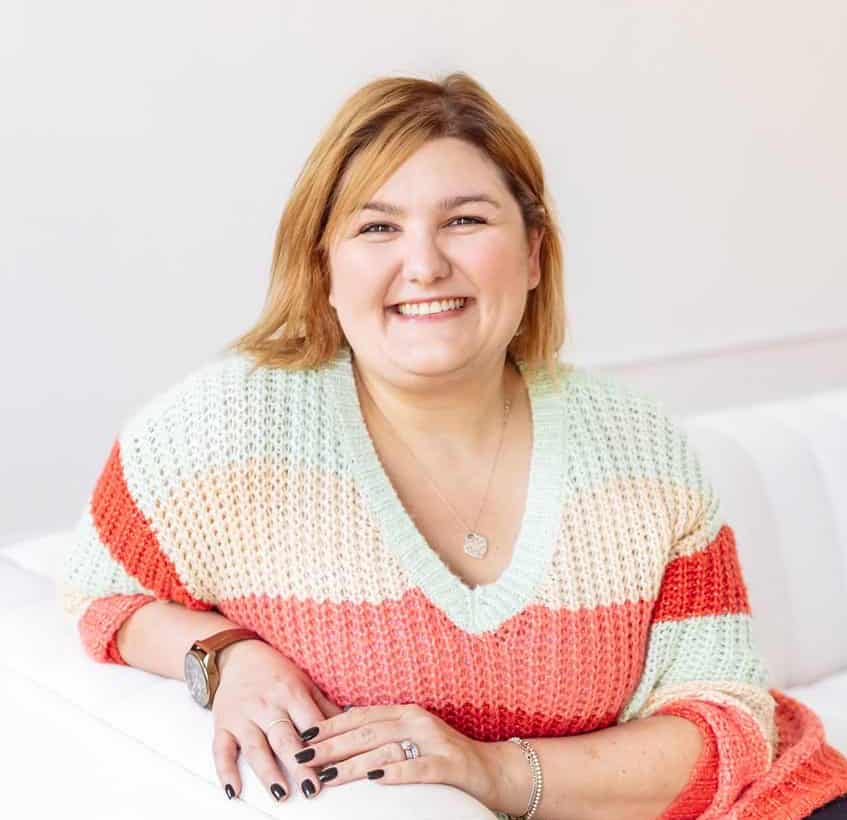
Guest Speaker
Matisse Hamel-Nelis
Matisse helps organizations see that accessible communication isn’t just ethical — it’s good business. Whether guiding teams new to accessibility or speaking at conferences, Matisse thrives on those lightbulb moments when people realize inclusive design makes their work better.
Co-author of Accessible Communications with Lisa Riemers, Matisse focuses on practical strategies professionals can use right away. When not consulting or teaching, she connects with the PR & Lattes community — sharing stories, celebrating wins, and exploring the ever-evolving world of communications.