
Season 02 | Episode 04: Joanne Henry on Described Video
In this episode: David and Sandi talk with Joanne Henry, Founder of Lakeshore Media Services. Joanne explains described video and its role in media accessibility and shares her expertise in making content universally available.
Transcript
David: Welcome to Practical Accessibility Insights. I’m David Best, your host, and with me is my co-host, Sandi Gauder. Hi Sandi.
Sandi: Hi David. How are you today?
David: I’m doing good, and I’m interested in our guest that you have for us today because it’s a little bit of a different direction than what most of our interviewees have been. And today we’re actually looking at describing videos, which is something most people probably don’t think much about.
So why don’t you go ahead and introduce our guest for today.
Sandi: So I’m happy to introduce our guest today. Her name is Joanne Henry. And Joanne is a member in the AccessibilityConsulting.ca collective that we both belong to. But I’m gonna let Joanne introduce herself and tell us a bit more about who she is and what she does.
So welcome, Joanne. Happy to have you today.
Joanne: Hi Sandi. Hi David. Thanks so much for having me on today. Yeah, so a bit about me. Originally, I’m from Northern Ireland, as you can probably tell by my accent. And then after some traveling, I actually immigrated to Canada in 2008. Professionally, I actually have a background in media and marketing, but I’ve been working in media accessibility for 16 years now.
From a resume perspective, I have a BA, Honors and Media degree, Master’s in Communication Advertising, PR and MBA. I’m a Chartered Marketer, also was a member of the Described Video Best Practices Committee, which consisted of broadcasters, description producers and community representatives for Canada.
And I was on groups for post-production and live described video. And I was also an instructor for the describe video at Mohawk College Accessible Media Program. So that’s kinda my resume, but my, my marketing experience, I’ve been a brand manager for newspapers, six weekly titles, which was pretty fast paced and fun.
I’ve also worked in digital marketing agency, executing digital engagement initiatives for leading brands and banking, automotive, and consumer goods.
Sandi: That is a fascinating background, Joanne. I’m most curious to find out how you ended up in the business that you’re in right now. You say you’re in described video, so how on earth did you end up in that business and what is it exactly that you do there?
Joanne: So when I moved to Canada, I had contacts in the post-production industry and it was through that sector that I actually became involved in accessibility. During my travels, I became increasingly aware of the world around me and of individual specific needs. And so when I had the opportunity to write described video, I found that not only did my skillset, creative and technical aspects in media and marketing align with the role, but I found that I absolutely loved it and I still do today.
And I have to say I’m so lucky to have a job that I find so fulfilling. I think like many people, I came to accessibility through a somewhat indirect route, but I’m so happy that I’ve arrived here.
Sandi: I would agree a hundred percent. My journey was also kind of random, but I can’t imagine doing anything other than what I’m doing today.
So for people who are not familiar with described video, and I’m gonna be honest, I think I have a vague idea of what it’s all about, but not probably much as I should. So can you tell me and our listeners what exactly is described video?
Joanne: Described video or DV as it’s called in Canada and audio description or AD in other parts of the world, is a service primarily for people who are blind or have sight loss.
However, it also benefits anyone who is not looking at the screen while viewing visual content. Notably, in a Canadian context, the term audio description has a slightly different meaning. It refers to when a program host or announcer provides a voiceover by reading aloud or describing key elements of the program, such as text and graphics that appear on the screen.
The purpose of DV is to provide an equitable experience by clearly, concisely and inclusively conveying visual information that would otherwise be inaccessible from the audio alone. So visual information includes action, character information such as physical attributes, attire and manner, objects, settings, scene transitions, and onscreen text.
Sandi: So if there’s a dialogue in our favorite mystery show and the dialogue’s going back and forth quite quickly, and there’s no natural pauses or breaks within the dialogue, do you have to add extra time to the video in order to put some description in, or how do, how do you. Like that, that is the biggest mystery to me, I think, is how on earth you describe something when there’s an a very active and sometimes rapid fire dialogue in a show.
Joanne: So there are various types of DV which differ based on how they’re produced. There’s post-production DV, so this describes what happens between the pauses in the dialogue and is most commonly used on prerecorded content and can be accessed by playing a separate audio track. This type of DV appears in broadcast and streaming entertainment content.
There is also live DV, which is similar to post-production, but produced in real time during a live event or program. It can also be produced live to tape where the real time narration is on a prerecorded content. This type of DV lends itself well to sporting events and award shows. There’s also integrated DV or IDV, which includes description from the start of the production process.
Description is introduced through the content audio, such as the natural dialogue or the sound effects. This removes the need for a secondary audio track, creating an accessible experience so that everyone can engage with the content directly in the same way. At the same time. IDV is suitable for any visual content from broadcast and streaming content to online videos and digital or in-person presentations.
All visual content should be accessible to everyone and achieving that is straightforward in terms of the production process, but it should also be easy to find and access the service. It needs to be clearly promoted, signposted, and searchable.
David: I assume that action movies are probably more challenging than things like documentaries and training kind of videos?
Joanne: Yes. Challenging, fun, more descriptive. We’ve worked over so many different genres. Every genre and type. So educational, yes, but also a lot of entertainment, a lot of different target audiences as well. So a lot of children’s programming, but also very mature. And each type of content has its own challenges, and I find personally that when writing you find that for a particular genre, as you say, like a documentary versus a feature film, maybe a, a romantic comedy versus an action film, you rely on different aspects of the best practices.
You know, oh, this is gonna be fantasy, so this is gonna be a lot of research on – or science fiction – a lot of research on weapons, gadgets, costumes, if it’s a period drama. A lot of research on costumes, making sure that your descriptions are accurate. A lot of, for documentary, there might be a lot of subtitles to handle.
For the action movie, there might be very long sections where you would have to describe fast paced action, but that’s when you need to consider the end user or the audience. And so therefore it’s like, oh my goodness, so here’s a big section. If I just write this as one big, long piece, it’s going to, it affect cognitive load.
Like it’s just difficult to sit and, and take in so much. So we will write it in concise sections and time them to the action on the screen so that everybody receives the same information at the same time, but it’s done so in a thoughtful and concise way.
David: So I’m curious, how important is descriptive video?
How big is the market need?
Joanne: Descriptive video is extremely important. The media landscape, it’s changed and it’s constantly evolving and there’s a lot of content, obviously now online. Descriptive video is for everyone. It’s for people who are blind or visually impaired. It’s for people who are maybe listening to a show and doing something else.
It’s for people who are neurodivergent, it’s for everybody. It applies to various different environments. So for an example, broadcast shows, streaming shows, online content. One of the things that I love about descriptive video is that it needs to be applied and can be applied differently to these different environments.
So for an example, if you have a video, that video is some great music. It’s maybe promoting something. It has some great text and graphics, but there’s no dialogue. So therefore that’s not a fully accessible video, and that requires described video to provide the access.
Sandi: Do you do live TV as well? Is it always prerecorded media that you work with?
Joanne: We do a mix. We, we have worked on live events, so on post-production as well.
Sandi: So can you explain to us how live describing works in that kind of environment where you don’t know what’s coming next? How do you do that?
Joanne: Research is very important for participants in the event, whether it be a sports team, whether it be a celebrity, whoever it is in whatever type of event it is. Knowing as much information up front about the structure of the show is incredibly important because then you have a bit of an idea of what what might be coming up next.
Knowing the kinds of things that you would likely need to describe is obviously helpful and important. So for an example, in an award show, it might be what people are wearing. On screen text. If there’s text on screen, it’s really important to provide access to that. The same goes, that’s either like in awards or in sports.
If there is a score, it’s important to communicate that information. Any information that isn’t being clearly communicated through the audio track is what you need to describe. It’s the same premise. It’s just done slightly differently in terms of the production and the fact that it’s live
David: Is live descriptive video something like a radio commentator describing a hockey game?
Joanne: Yes, it is more like that and it’s really about communicating that information that is most important that isn’t heard through the audio. Described video in general, it’s like listening to radio. So we’re writing narratively. We’re writing with navigational tools, using words to navigate.
Changing scenes. Maybe we’re using different devices to change the scene, whether it be the weather, the passage of time, location. For an example, it could be confusing if you have the same character in a back-to-back scene. One minute they’re in their house and the next minute the audio behind changes, but they’re in a pub or a bar.
And it’s important to communicate that, that, that there’s a change in circumstances, there’s a change in location. So those are the kinds of navigational tools that we use to change scenes.
Sandi: If you were asked to do the described video for a half hour sitcom episode, how much time is actually spent to do the, the described video for a half hour show that’s prerecorded?
Joanne: Coming to it as a writer. So as the writer, first thing you wanna do is research it. You wanna understand what it’s about. You wanna know who the characters are. So you can do a lot of that research and find that information out online.
The next thing that I also do is I try with my team, I try to ensure that I keep the same writer on the same show so that they’re building up knowledge about the show, about the events in the show and scenarios in the show. ‘Cause sometimes there may be something under, you know, a, a running theme throughout. So it’s good to try and keep that continuity. ’cause that helps with overall research because as you’re actually writing the show, you’re learning too.
Upfront, it’s really important to research and to research characters, locations, pronunciations of character names, pronunciations of locations because it’s really important to ensure that those pronunciations are correct. So those pronunciations need to be correct, either if you’re doing it in a synthetic voice or if you are communicating to a narrator.
It’s really important to, to get people’s names correct. That’s all research.
David: What’s the difference between descriptive video and closed captioning? Do people use both or one or the other?
Joanne: It depends on the environment that you are consuming the information. There’s various ways to add full access into a video. So one is your described video, which is for people who are blind or have low vision, closed captioning for people who are deaf or hard of hearing. And also described video transcripts, which is a amalgamation of the two. So you’ll have a transcript with the descriptions noted and woven in among the dialogue transcript as well.
So people use both closed captioning and the described video in various ways. So maybe someone wants to read a transcript, but they’re also gonna read the description. Maybe they’re using a screen reader and the screen reader is imparting all of that information. Maybe they’re listening to the show, so they’re listening to the dialogue and they’re listening to the the described video.
So really it is for everybody. As I mentioned earlier, described video is also useful for many audiences. For an example, if someone is working on something, say they’re even cleaning the house, then they can listen like a podcast. It’s like radio, you know, you can listen to it. If you’re sitting in a quiet environment you can turn on captions and you can read the captions. It can be used in various environments for various reasons.
Sandi: I’m one of those people and, and actually both of us in our household, my husband and I, we both like having captions turned on for a number of reasons. It could be that we’re watching British TV and we can’t quite understand the accents or the dialogue sometimes is not level, so you can hear some people but not others.
So it’s helpful to have the captions on, but I’m not sure I’ve ever figured out or noticed, or if it’s even easy to turn on the video description because it doesn’t seem to be a standard or as easily accessible as turning on captions. So, if somebody wanted to start video content and, and having that description, how do we make that happen?
Joanne: There is a description like you, you click into the audio and then there is a secondary track, and that’s what we actually produce is a secondary wave track. Yes, you click on that secondary track. So that track will be among other tracks such as it’ll say maybe English audio described. There should also be an icon that you click on, AD icon that you would click on. And then there’s other tracks as well for multiple languages as well. But audio description is often a track and that that you would click on.
Sandi: It shouldn’t be so hard to find, I would think.
David: Well, but it’s still an emerging technology. I think it’s still something that’s getting more and more traction, but it’s something that most people don’t think about.
I don’t think it’s a service that has been given enough attention.
Joanne: It definitely needs more attention and certainly if you put it against mandates and attention that closed captioning receives. Definitely described video needs more attention. As I said, it needs to be everywhere. It needs to be for everyone because that’s the whole point of producing it, is to provide access and it needs to be accessible generally in accessibility.
Education is required. Education, marketing, letting people know what is available, where it is available. As I said earlier, the media landscape has changed and therefore the way we consume media content has changed. Therefore, definitely there is job needed in terms of education.
David: So I’m curious, a lot of your work, is it with government institutions and is the private sector growing? And if there is a small business wanting to use the descriptive video service, what’s the cost?
Joanne: So a lot of our work is with broadcasters and producers, and a lot of our work has aired on channels and streaming platforms. That’s where the majority of our work is.
We also, yes, have worked with organizations and I find that, in terms, that’s in obviously in terms of digital accessibility. And I think that that is, especially with mandates and so forth, there’s definitely seems to be a want, you know, people wanting to know more and to know how to make their content accessible.
And that goes back to my point about education. That’s what’s really needed. In terms of cost for described video, it really does vary because it really is hard to pin down. It really is dependent on the content that you’re working with. For an example, you may have in terms of online content, you may require extended describe video, which Sandi is, I think you mentioned earlier, you know, you asked the question, how do you actually describe something?
Do you extend it to create space? Well, we actually can do that, but we can do that for an online environment. We can pause the show or the content then add in more information through dialogue, and then it goes back to the show and then we can pause again. That’s one way of doing it. So the costs really do vary based on the approach and the length of the content and the type of the content.
It’s not all about cost. I think it should also be about quality too, and there’s various ways to ensure that quality is there. Human voice, of course, has the nuance, the warmth, human voice is always gonna be incredibly high quality. If you’ve got a really good narrator and a really good script, you’re gonna have a really great product.
Sometimes synthetic voice, there’s also ways to improve the quality too, to make sure it’s a neural voice and to write for synthetic, to make sure that pronunciations are correct and to make it sound as as natural with inflection as possible. There’s different ways to do that. So there is an argument between, you know synthetic and human voices. Of course, human voice is always gonna have a certain nuance.
Sandi: Do these voices add any colour? Are, are they spoken in an objective tone to the dialogue, or do you try to remain the neutral when you’re adding the description? Do you know what I mean?
Joanne: Yes, so that’s an interesting question.
So I’ve actually noticed being in this, in this industry for 16 years, and I love this, that the best practices have have evolved. Back in the day, it was yes, your dead pan voice. And yes, the described video narrator should always have their role, because they’re not a character. However, especially depending on the content, if it’s entertainment content, you want a bit of inflection and a bit of life to the voice, and human voice does that incredibly well with the right narrator.
If they need to increase their piece a little bit for a little bit of excitement. But they’re not acting, they’re not acting it out. They’re not a character. So it’s really a very, very about much about balance in terms of the narration. You want warmth and nuance because a lot comes through tone, and of course, human voice can provide that.
When you’re producing video content, unless you’re actually aware of accessibility and thinking about accessibility and thinking about the end user and thinking about your audience and so forth, then I think people make videos, they’re making videos that are inaccessible and they’re not doing it on purpose. It’s just a lack of education. And so for me it’s always make sure that you’re thinking about your end user and how is this going to be consumed? And think about everybody. So educate yourself as well, as much as try and find someone that can mentor or educate you.
So for instance, if I want to add description to my video, what is the best way for me to do that? Should I add it as a post-production. I’ve already made my video, oh, but I wanna make it accessible. Oh, okay. I’m gonna get it described between the pauses and dialogue. Or I’m thinking about it earlier, which is the whole point of trying to communicate to people that you need to think about it at the very beginning.
You need to, they always consider accessibility as part of your production process, and that’s where integrated described video comes in. Accessibility is not an add-on. It is part of. That is key, and that is where we can change how people view from the ground up, how they’re producing their content. From the very beginning.
Looking at the script, does the script communicate in a way that it actually paints a picture in the mind’s eye? Does it communicate what is happening on the screen? Does it communicate everything that the audience needs to know in the dialogue or in the audio, in the soundtrack behind the dialogue?
Those two things together, if they’re beautifully meshed together, they can create the entire experience as opposed to placing it after the content has been made.
Sandi: It seems to me there’s a lot of overlap in best practices around delivering accessible presentations, like a PowerPoint slide deck, doing that in an accessible fashion and creating a video that’s accessible in, in the, just the thinking about how you’re describing what’s on the screen and making it part of the whole dialogue and the conversation. The mindset or the thinking, the thought process must be very similar to delivering an accessible presentation or accessible learning, I would think.
Joanne: That is correct. There is a lot of overlap across all of it, across all of the description and describing in the best practices. So the best practices that I would use for describing a television show or a feature film, some of those are the best practices that I’m gonna use when speaking to an audience in, in person and giving a presentation. Things such as, don’t be vague. Don’t use vague language here, there, this, that. Be specific, be precise, be concise for cognitive load. These are all important things.
If you’re presenting any information, all of those best practices, such as navigational language, anything that provides clarity, apply no matter what your production process may be, and giving a presentation is another channel or process to impart information and communicate in an accessible way and in an inclusive way, and using the correct language and being descriptive and being plain, uh, using plain language and being inclusive to use inclusive language.
Those are the basic things to keep in mind no matter what you’re describing.
David: How is descriptive video regulated in Canada?
Joanne: In Canada, DV is mandated by the Canadian Radio Television and Telecommunications Commission, or CRTC. Currently, the mandate requires that traditional, larger broadcasters include described video for specific English and French language programs during prime time, so 7:00 PM to 11:00 PM. Programs such as dramas, comedies, and children’s programming.
Notably in a consultation about described video and audio description, topics included the current barriers for people who are blind or have site loss to accessing online and on demand content, and the volume of described video and audio description available.
Recently the CRTC issued a decision to introduce changes to better support Canadians who rely on described video and audio description on TV and online. This is part of their effort to modernize Canada’s broadcast framework. On their website, they state that by December 17th, 2027, online streaming and on demand TV services will be required to include described video on all new original scripted programs, including dramas and comedies, and provide audio description for all news and information programming.
In terms of searchability, they stated that online streaming and on-demand TV services must offer a search tool to help people find accessible content. You can read all about this at crtc.gc.ca.
David: Joanne, you wouldn’t happen to have an audio clip that we could share on the podcast.
Joanne: Of course. To illustrate the benefit of described video, I’d like to share a short clip of an animated children’s TV show called Ranger Rob.
First without description, and then with description.
Rob: Chipper’s Big Sky Park Stunt Show.
Looking good Chipper. Wait till everyone sees how cool you are in your very own stunt show.
Okay, you are on.
Uhoh
Chipper’s Big Sky Park Stunt Show
Voice Over: At Big Sky Park, Rob cleans Chipper.
Rob: Looking good Chipper. Wait till everyone sees how cool you are in your very own stunt show.
Voice Over: Written by Andrew Sabiston, Chipper squirts water at Rob.
Okay, you are on.
Rob: Rob sprays water at Chipper with a hose Chipper picks up a pail of water.
Uh oh.
Voice Over: Rob hides behind a blue log. He pokes his head up and looks around.
David: Joanne, I wanna thank you so much for joining us and sharing your experiences and explaining to us what descriptive video is. Do you have any information, like resources or contacts that you would like to share with our listeners?
Joanne: Yes. We have our own website, which is LakeshoreMediaServices.com.
Also, I’m on LinkedIn, as well. You can search for me. It’s Joanne Henry on LinkedIn. Yeah, you can actually contact us through our website or you can contact me through LinkedIn. Thank you so much for having me on. I’ve really enjoyed our conversation and I appreciate your time. Thank you so much.
Sandi: Thank you.
It’s been great to hear about this. I think our audience will appreciate learning about something that I’m sure most of us don’t even know about or pay attention to, so, so this has been great.
Our one last question for you, Joanne, before we release you to the world. What’s one piece of advice or action that you would recommend other entrepreneurs, small business owners take when they’re thinking about building accessibility into their business or their overall business strategy?
Joanne: Always think about who it is for. Ensure that what you’re implementing is truly accessible. And therefore, if you need help with it, seek out the correct resources and make sure that whatever you do is done to the highest possible quality.
Sandi: Excellent. Good advice. Thank you so much. Thank you, Joanne, for joining us today.
We very much appreciate it and uh, have a good day.
Joanne: You too. Thank you so much.
David: The views, thoughts and opinions expressed on this podcast.
Are the speakers own and do not necessarily represent those of the podcast team and partners. This podcast is for information and learning purposes only. The Practical Accessibility Insights podcast is hosted by CMS Web Solutions. The intent of this podcast is to raise awareness for practical advice and strategies for making digital and physical environments more accessible to everyone.
Thank you for joining us in this time of discovery and sharing for a more inclusive society. If you have questions or comments, you can email us at info, I N F O, at david dot best or Sandi, S A N D I, at CMS Web Solutions dot com. For more information and resources, go to www.CMSWebSolutions.com or www.BestAccessibility.consulting.
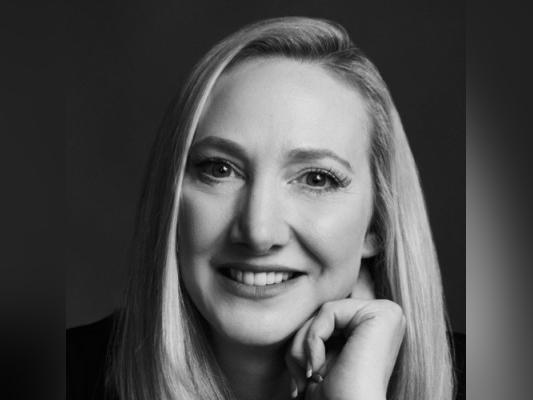
Guest Speaker
Joanne Henry
Joanne is the Founder of Lakeshore Media Services. A leading specialist in described video and media accessibility. Over the past 15 years, Joanne has led the creation and production of more than 15,000 hours of DV.
Joanne is a strong proponent of innovation who works closely with industry professionals to promote accessibility and inclusion. She contributed to the development of the Best Practices Guidelines for Postproduction and Live DV (Audio Description) in association with Accessible Media Inc. (AMI) and the Canadian Association of Broadcasters (CAB). Joanne was part of the former Accessible Media Production program at Mohawk College, where she taught DV.